
Tennis Game
EMBED CODE
GAME URL
Tennis Game Game Introduction
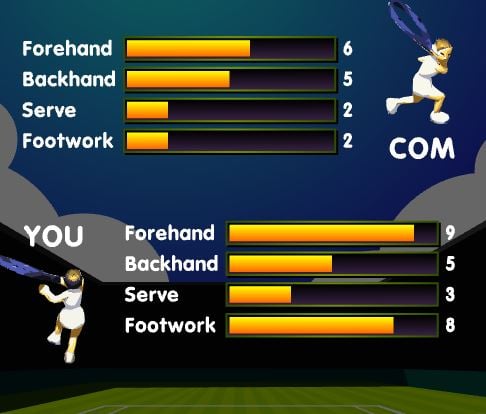
Dive into the fast-paced world of virtual tennis with Tennis Game—a free-to-experience sports game designed for quick, addictive matches! Perfect for casual players and tennis enthusiasts alike, this browser-based game lets you step onto the court instantly, no downloads or sign-ups required. Control a player at the bottom of the screen, hit the ball back to your opponent, and aim to score the first 5 points to win. With its simple mechanics and classic gameplay, Tennis Game delivers the thrill of real tennis without the complexity, all completely free to play online. Whether you’re looking to kill a few minutes or challenge your reflexes, this game is your go-to for instant, no-cost fun.
Tennis Game How to Play
Getting started with Tennis Game is easy and costs nothing—just a few clicks and swipes (or mouse movements!) to master. Here’s how:
Basic Controls
- Move Your Player: Use your mouse to move left or right across the bottom of the screen. The player will follow your cursor, so aim to position them under the ball for the best hit.
- Hit the Ball: Click the left mouse button when the ball is within reach. Timing is key—strike at the right moment to send the ball soaring back to your opponent’s side of the court.
Gameplay Flow
- The ball starts in the middle of the court, bouncing toward your side.
- Move your player under the ball and click to return it.
- If the ball lands past your player, you lose the point. If your opponent misses, you score.
- First to 5 points wins the match!
No prior experience needed—you’ll be rallying like a pro in seconds. And since it’s free to play, you can practice, compete, and improve without any financial commitment.
Tennis Game Core Features
Tennis Game stands out with these must-try aspects:
- Single Player Mode: Test your skills against challenging AI opponents. Adjust to different difficulty levels as you progress, turning every match into a personal challenge.
- Intuitive, Lag-Free Controls: With simple left-click hitting and mouse movement, the game prioritizes smooth, responsive gameplay—no complicated button combinations or learning curves.
- Classic Visuals & Sound: Enjoy clean, uncluttered graphics that keep the focus on the action, paired with satisfying “thwack” sound effects every time you connect with the ball.
- Addictive, Short Matches: Perfect for quick sessions! Matches last just minutes, making it easy to fit into your day—whether during a break or before bed.
Tennis Game Tips and Tricks
Elevate your game with these pro strategies:
- Master the Timing: The ball’s trajectory is key! Wait for the ball to bounce once before hitting it, or strike it mid-air for a powerful return. Practice hitting at the peak of the ball’s arc to maximize control.
- Anticipate AI Moves: Watch your opponent’s positioning—AI players often repeat patterns. If you see them leaning left, prepare to hit to their right side.
- Focus on Defense First: Sometimes, surviving a long rally is more important than attacking. Keep the ball in play by hitting it back to the center of the court, forcing your opponent to make mistakes.
Tennis Game Why Play On Our Site?
Play Tennis Game on our platform for the ultimate free online experience:
- 100% Free to Play Online: No hidden fees, no in-app purchases, and no downloads required. Just open your browser and start playing immediately.
- Smooth, Secure Gameplay: Our platform ensures lag-free matches with a clean, ad-free environment. Enjoy the game without interruptions, knowing it’s safe and virus-free.
- No Strings Attached: Unlike other tennis games, we never lock features behind paywalls. Play as much as you want, whenever you want—completely free.
Tennis Game Frequently Asked Questions (FAQ)
- Is Tennis Game truly free to play? Yes, Tennis Game is 100% free to play online with no costs, subscriptions, or downloads required. Play as much as you like!
- What devices can I play on? The game works on any device with a modern web browser, including PCs, Macs, tablets, and smartphones.
- Can I play against real people? Currently, Tennis Game offers single-player mode against AI opponents. Multiplayer features are planned for future updates.
- How do I win a match? Score 5 points before your opponent does. The ball must stay in play—if it lands past your player, you lose the point.
- Why is my game lagging? Lag can happen with outdated browsers or background apps using bandwidth. Update your browser and close other programs for a smoother experience.
- Are there different difficulty levels? Yes! The AI opponent’s speed and accuracy increase as you win matches, keeping the challenge fresh.
- Can I customize my player? Not in this version, but we’re exploring player customization options for future updates.






Game Categories
Explore different types of games